
You do not need a consumer music app to run house sound. Many restaurants, shops, and churches do better with a dedicated always-on device and a browser-based commercial player. The result is fewer staff login problems, fewer surprise playlist changes, and a clearer licensing story than a personal phone on aux.
This guide explains why consumer apps fight venue workflows, how a web-player pattern works with SyncPoint, when downloads are better, and how to keep multi-location brands from sharing one URL incorrectly.
Why consumer apps frustrate venues
- Personal accounts are not business licenses — see Spotify for business
- Phones receive calls, OS updates, and Bluetooth dropouts mid-service
- Employees change playlists without manager intent
- App UI changes break “set and forget” muscle memory
- Closing staff may log out or remove the account entirely
PRO and compliance context: ASCAP / BMI / SESAC primer · hidden licensing costs.
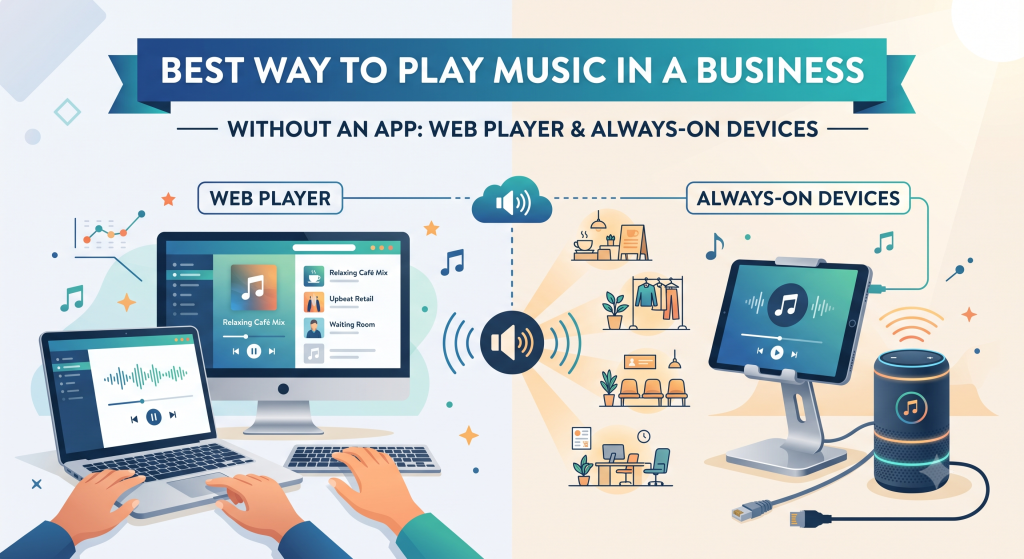
The web-player pattern (step by step)
- Select a tablet, Chromebox, Intel NUC, or similar device that stays at the venue
- Connect it to power and network (ethernet preferred)
- Open your SyncPoint secure player / stream URL in Chrome or another modern browser
- Route audio to the amplifier (line out, USB DAC, HDMI, or headphone-to-RCA as appropriate)
- Disable sleep, auto-lock, and aggressive battery savers
- Optionally use kiosk/fullscreen mode so staff see only the player
- Label the device and bookmark the URL in a shared manager folder
Hardware planning beyond the player: restaurant background music setup. Rights: licensing explainer.
Reliability habits that matter more than brand of tablet
Use a cheap UPS if brief outages are common. Keep the device off guest Wi‑Fi captive portals. Prevent OS updates during peak hours. Give one person ownership of station selection so the vibe does not drift every shift.
When Music Packs beat a live stream
If your installer already deployed a local playout PC or hardware player, downloads may be cleaner than streaming. Compare models in streaming vs Music Packs, shop packs, and review the pack license. Cost framing: commercial music cost.
One location, one license
A SyncPoint streaming subscription covers one physical business location. Sharing a single player link across two storefronts is not how the license works. Expanding brands should plan additional subscriptions or ask us for guidance — contact.
Vertical quick takes
- Restaurants — web player into existing dining zones (setup guide)
- Retail — locked device behind the counter (playlist guide)
- Churches — lobby ambient on a dedicated input (church ambient)
Launch checklist
- Commercial plan or pack purchased
- Dedicated device imaged and labeled
- Audio path tested at busy-hour volume
- Staff trained: do not unplug, do not switch to personal apps
- Support contacts saved (SyncPoint + your AV tech)
Bottom line
Apps built for consumers optimize for personal discovery. Venues need boring reliability and cleared rights. A browser player on an always-on device — fed by SyncPoint — is often the simplest professional pattern.
Start here: pricing · FAQ · Insights · SyncPoint home.
Troubleshooting quick hits
- No audio — check mute, amp input, cable, and browser tab still open
- Stuttering — prefer ethernet; move device off congested guest Wi‑Fi
- Wrong vibe — only managers change stations; document the house default
- Device asleep — disable sleep and plug into always-hot power
- Staff used a phone again — remove aux access or lock the rack
Most “music emergencies” are process problems, not mysterious streaming failures. A labeled device and a one-page runbook fix more nights than a new speaker.
If you need help validating the player-to-amp path for your room type, reach out. Pair this article with setup, licensing, and cost planning for a complete rollout.
Why this pattern scales with your brand
Once the web-player habit is solid at one door, cloning it to a second location is mostly process: buy the additional license, image another dedicated device, and repeat the amp path. What you should not clone is a single shared URL across storefronts. Treat each physical site as its own licensed playback endpoint, the same way you would not share one POS login across two shops without controls.
Managers appreciate that training is identical everywhere: open the bookmark, confirm audio, leave it alone. That consistency is hard to get from consumer apps, where every employee has a different library and a different idea of what “fits the brand.” For plan options see pricing; for pack alternatives see streaming vs packs.